Parametric Fountain System: From Rigid to Flexible
Executive Summary
I consolidated 12 separate Model Groups into a single, intelligent Parametric Family with configurable size, installation style, and maintenance access orientation. This achieved a 92% reduction in library clutter while enabling instant site adaptation and eliminating coordination conflicts between Landscape and MEP disciplines.
Product Gallery
.webp)
.webp)
.webp)
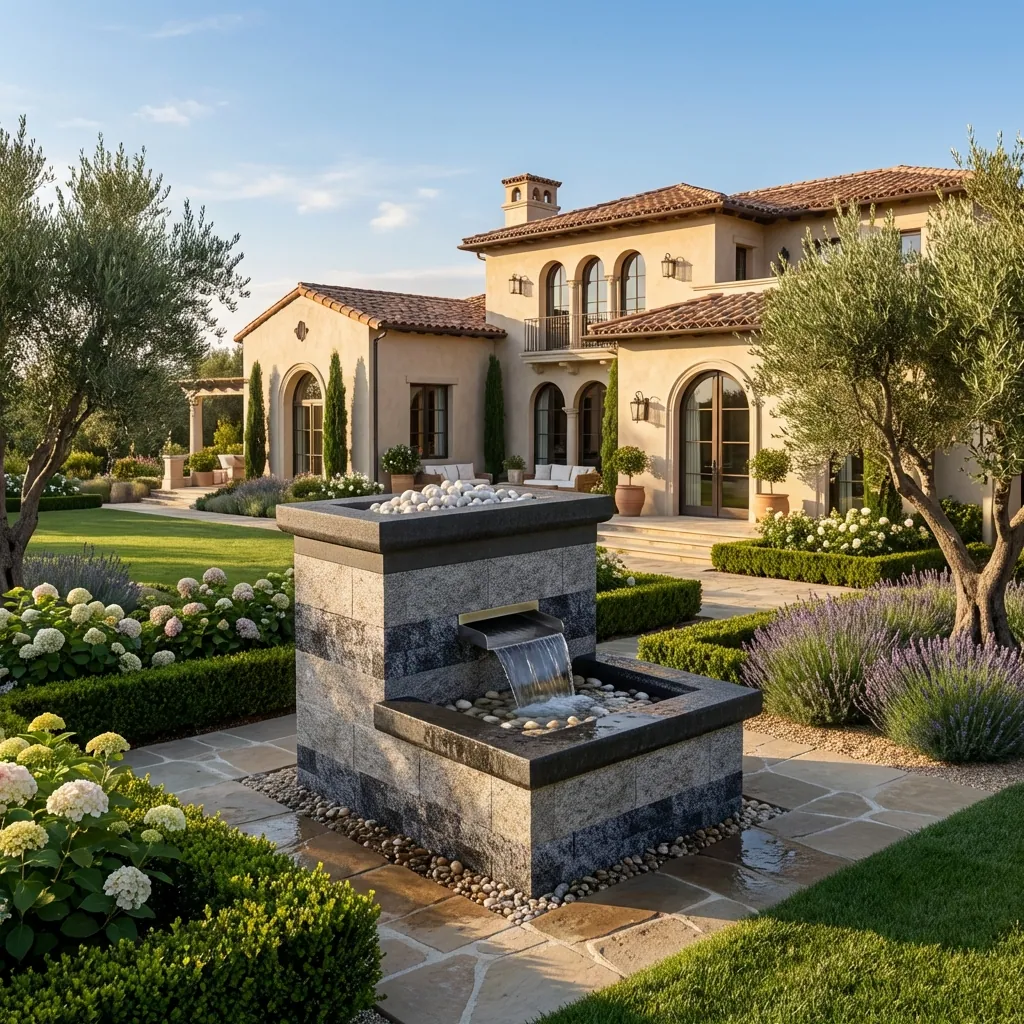
.webp)
.webp)
.webp)
.webp)
The Challenge: Redundancy and Rigid Access
Our landscape and MEP teams relied on a library of Revit Model Groups for standard fountain details. The library was repetitive and inflexible.
The Matrix Problem:
We needed specific combinations (Small-Plain, Large-Sunken, Medium-Surface, etc.). Managing these as 12 separate groups meant that updating a standard detail required editing 12 separate files.
The Coordination Problem:
- Fixed Door Orientation: All groups had a fixed maintenance door orientation (Back Side).
- Site Conflicts: If a fountain was placed against a wall or obstacle where the back was inaccessible, designers had to manually remodel the group.
- Misalignment: Rotating the entire unit often misaligned it with the site grid.
The Solution: A "Configurator" Family
I replaced the entire Model Group library with a single Parametric Family. This family uses a combination of Types and Instance/Visibility parameters to generate any required variation instantly.
Size Options
- • 4 Standard Sizes: Small, Medium, Large, Extra Large
- • Clean and intuitive type selector
Installation Styles
- • Plain: Standard standalone unit
- • Sunken: Recessed into landscape
- • Surface: Mounted on slab
Technical Deep Dive
1. Matrix Consolidation (Size & Style)
I structured the family to handle two primary data inputs: Size and Installation Style.
4 Sizes × 3 Styles = 12 combinations in 1 family:
2. Flexible Maintenance Access
To solve the site coordination issue, I decoupled the maintenance access from the geometry's orientation using Yes/No Visibility Parameters.
3. Input / Output Parameter System
The family separates what the user touches from what the family derives. Users see only a small set of Yes/No inputs; every piece of geometry is switched by an output parameter driven by formula — never by the user directly.
Input — user-controlled
- Size: Small / Medium / Large / Extra Large
- Shape: Pillar / Sunken / Surface
- Door side: Right / Left / Back
Output — formula-controlled
- Size & shape activation
- Stone / colour selection
- Door and connector configuration
                                        S_Pillar  = and(Small, Pillar, not(or(Surface, Sunken, ...)))

                                        S_Surface = and(Small, or(Sunken, Surface), not(Pillar, ...))

                                        Small_Blade = and(Small, not(or(Medium, Large, Extra Large)))

                                        Back_L_Surface = and(Back Door, or(L_Surface, L_Sunken))
Size isolation
Each size is mutually exclusive by formula — selecting one automatically excludes the rest from triggering any output.
Shape isolation
Components shared between shapes — the Blade, for instance — use a simplified formula that only checks size.
The design principle: mutual exclusion, geometry activation and stone cuts are all handled internally. Invalid configurations are prevented by logic rather than by user discipline.
4. Build Workflow
The migration from model groups to a parametric host follows a fixed sequence, documented so the process is repeatable by anyone on the team:
- Start from a Metric Generic Model template with a clear host naming convention.
- Copy the existing model groups — tank, stones, aline, heel kerb, pump, PVC fitting, blade, mesh frame, pebbles — into the family.
- Enable the Shared flag on every nested family, so each sub-component can still be scheduled independently in the project.
- Save the nested families and reload them into the host.
- Associate each nested instance’s Visible property with its corresponding output parameter.
- Create the user-facing Yes/No inputs — and only those.
- Derive the output parameters by formula, with a default so the family still resolves when the user has selected nothing.
Grouping insight: many nested families share the same visibility condition, so they are grouped under a single output parameter rather than each getting its own. Aline pebbles appear in Pillar, Sunken and Surface alike, so they sit under the size-level parameter — which keeps the formula count proportional to the logic, not to the geometry.


Impact & Results
- Library Efficiency
- 12 → 1 Family
- Site Adaptability
- Door swapping on the fly
- Clash Detection Issues
- Eliminated
- MEP Connection Consistency
- 100% Standardized
- Browser Clutter Reduction
- ~92%
What This Demonstrates About Me
- • Cross-Discipline Thinking: Bridging Landscape and MEP coordination in a single solution.
- • User-Centric Design: Solving real site placement challenges with flexible door orientation.
- • Configurator Approach: Building "product configurator" style families for maximum flexibility.
- • Library Optimization: Reducing file count while increasing functionality.